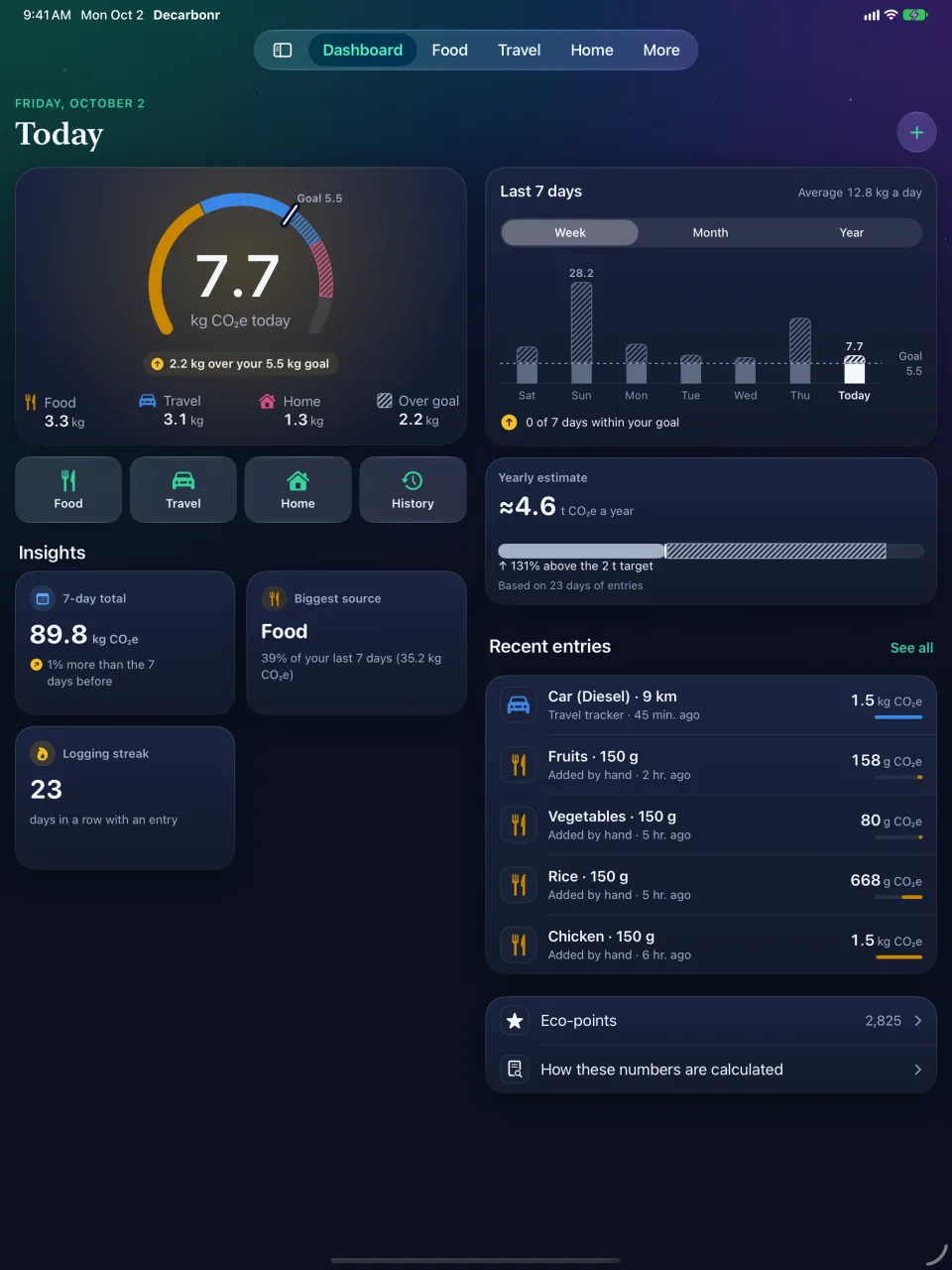
iPad
Two columns and a sidebar, in landscape or portrait, and more than one window in Split View or Stage Manager.
A short motion-graphics video. Every app screen in it is a screen recording of the Decarbonr app on an iPhone simulator, with sample entries that the app’s own calculations created for the weeks before a simulated date (not a real person’s log); the clock in the status bar is fixed at 9:41 by the simulator. The app’s figures are estimates. No app content is added or changed, and titles, captions and callouts stay beside or behind the phone. There is no music and no voice-over.

Decarbonr turns what you log — meals, trips and life at home — into your footprint for today, your week and a yearly estimate next to a 2-tonne target. Every figure is an estimate, and the app shows where it comes from.
Version 1.2 is on its way to the App Store
This page shows Decarbonr 1.2. Until Apple releases it, the App Store has version 1.1, which has no iPad layout, Apple Watch app, Home tab or Insights.
How the numbers work
Decarbonr does not measure your emissions. It multiplies what you log by emission factors from published sources, and it tells you which source it used.
An estimate in CO₂e. Food and travel use emission factors from published sources, listed in the app under Sources and methods. The home and lifestyle trackers use simpler averages. A meal photo gives an AI estimate.
Not a measurement, not a ranking against other people and not a forecast. Decarbonr shows nobody else's data and makes no projection about the future.
A common shorthand for a lifestyle compatible with 1.5 °C — a reference point, not a rule.
Estimates are marked ≈, and a barcode result that falls back to a food-category average says so.
In Decarbonr 1.2
Every feature below is in version 1.2. Where a number has limits, the card says so.
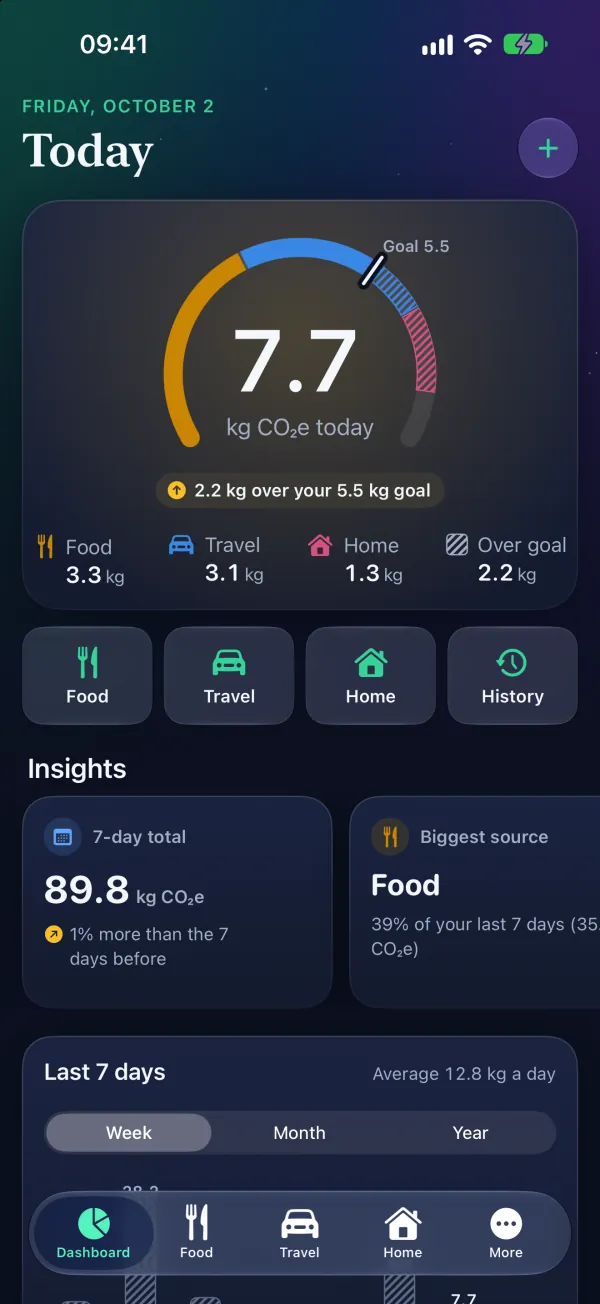
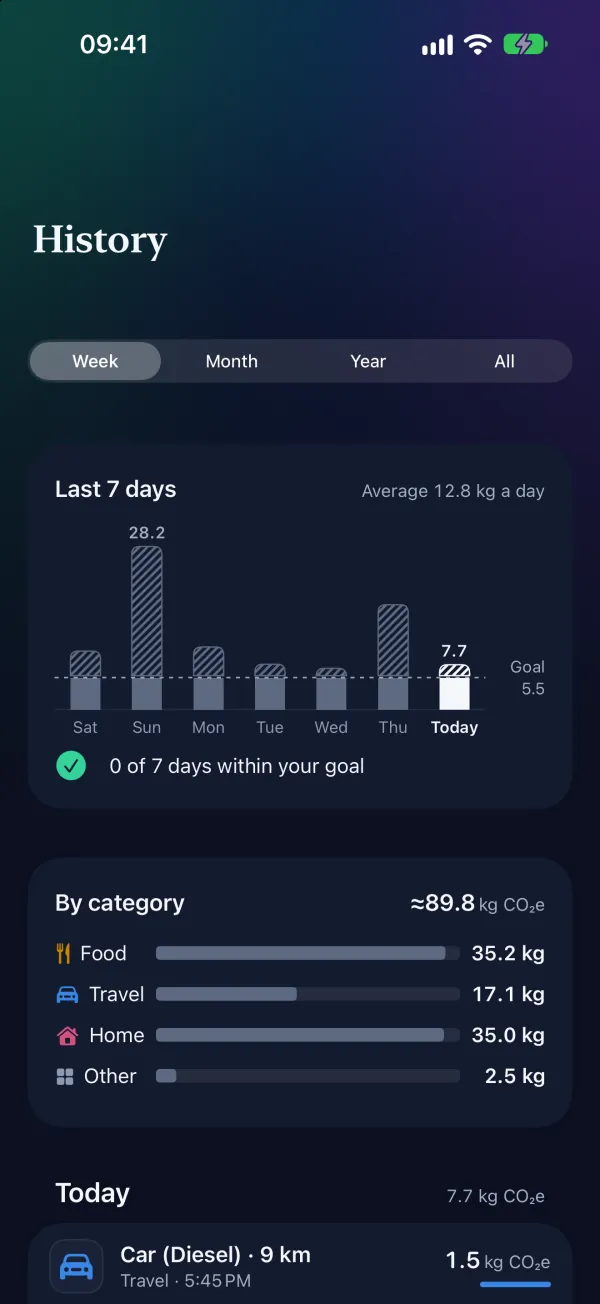
Today's total against your daily target, by category. Insights compare your last 7 days with the 7 days before, name your biggest source and count your logging streak. Charts show the week, the month and the year.
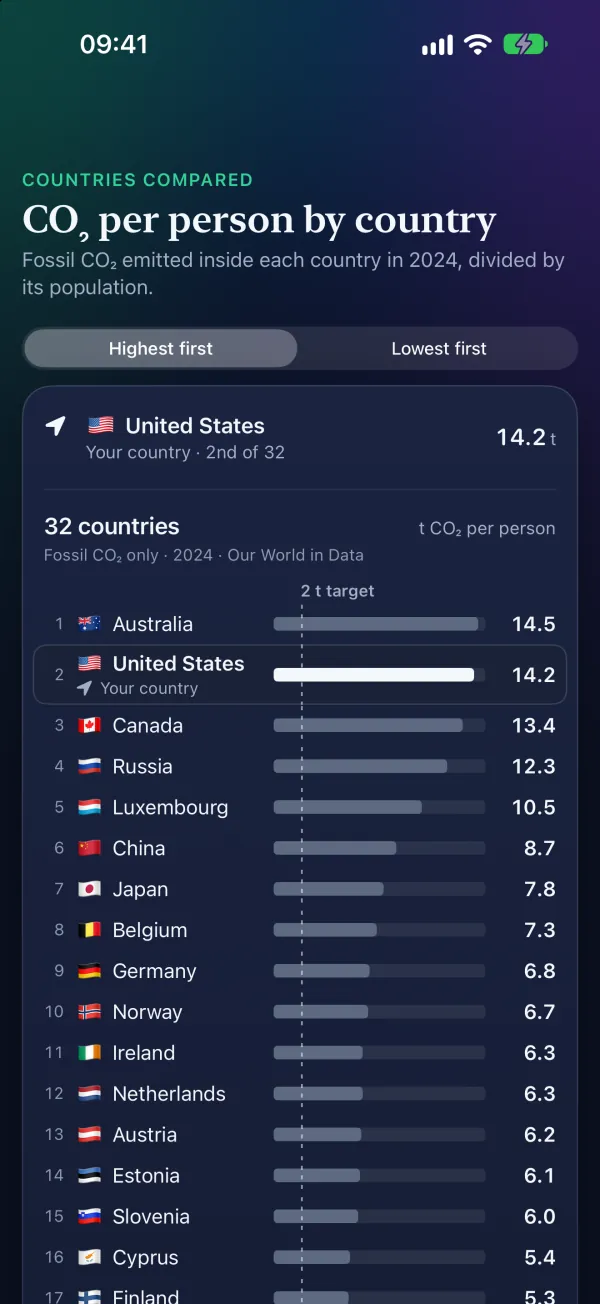
The yearly estimate appears once you have entries on 7 different days. It is shown next to the 2-tonne target and, for 32 countries, the country's average fossil CO₂ per person.
Choose a food and the amount. Or photograph a meal, and AI estimates its CO₂e ingredient by ingredient and suggests lower-carbon swaps. Or scan a barcode, and the product is looked up on Open Food Facts.
Meal-photo and barcode scanning are part of the AI add-on. A meal photo is sent for analysis only after you agree: it goes through Decarbonr's server to OpenAI.
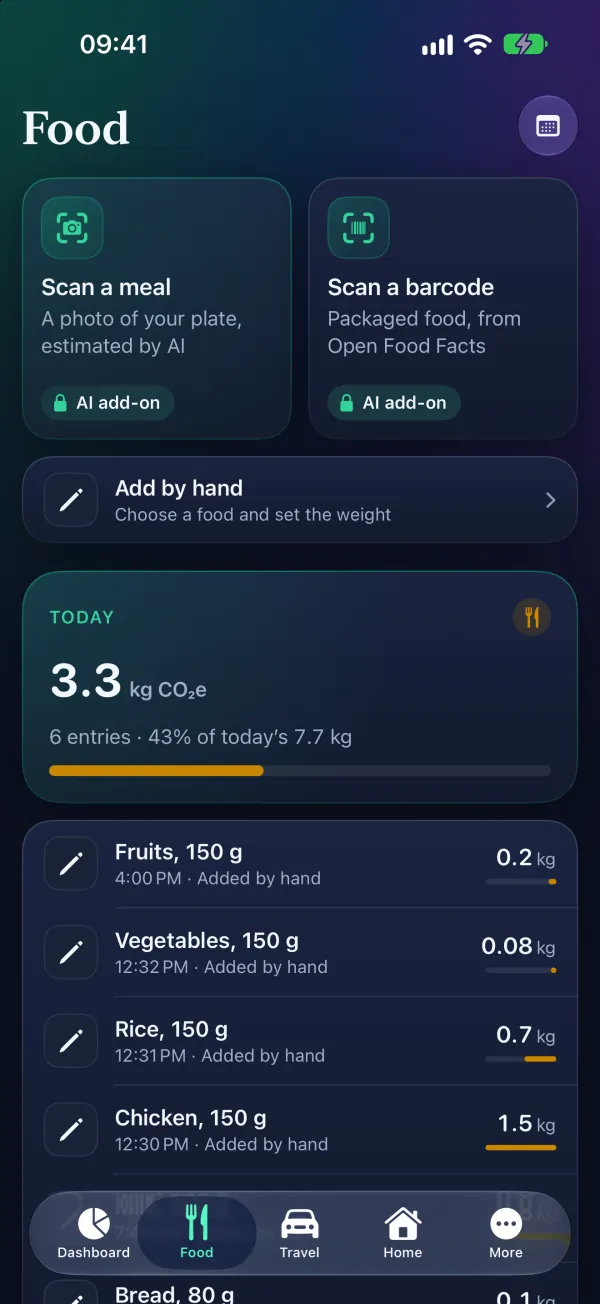
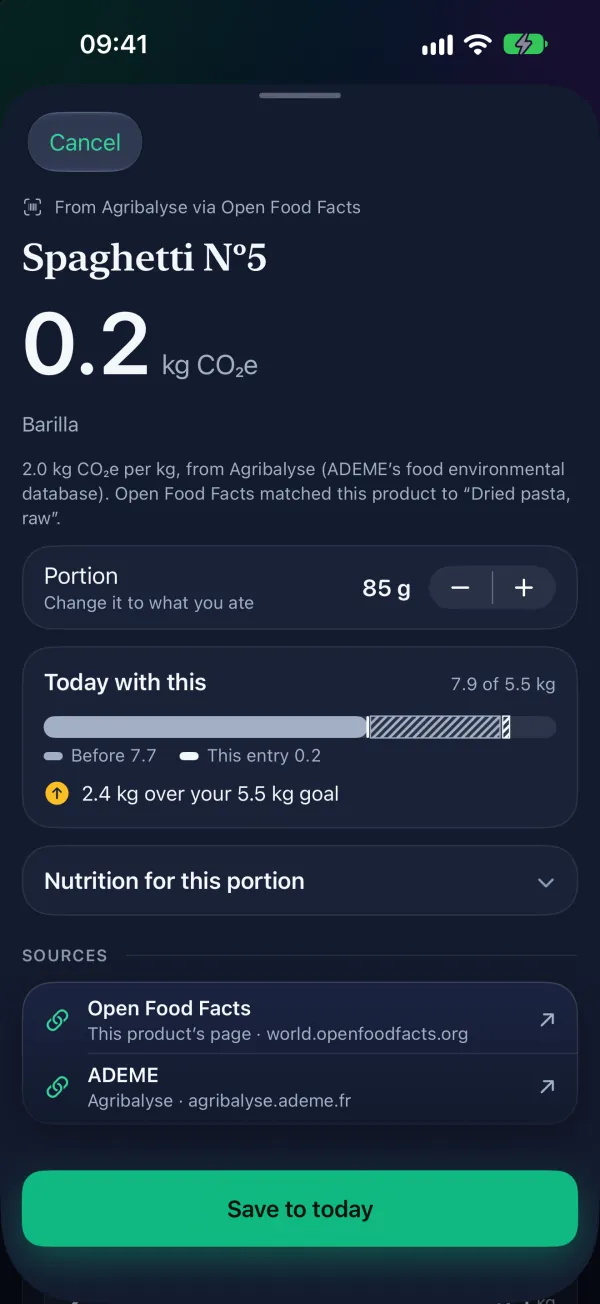
When a product has climate data (for example from Agribalyse), Decarbonr uses it. Otherwise it uses a food-category average and says which. Change the portion and see it against today's total.
A category average describes a typical product of that kind, not this exact product.
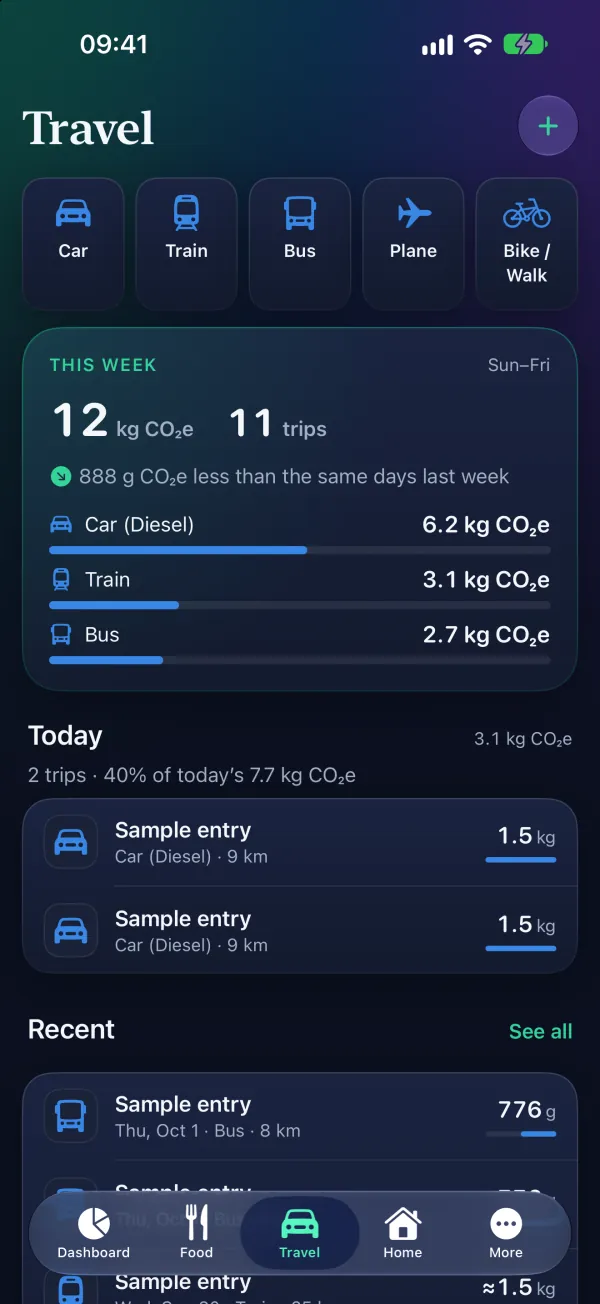
Car (petrol, diesel or electric), plane, train, bus, cruise, bike or on foot. For flights and cruises, enter two cities and Decarbonr works out the distance. Train trips use a country-specific emission factor.
City names that are not in the app's built-in list are looked up with Apple Maps.
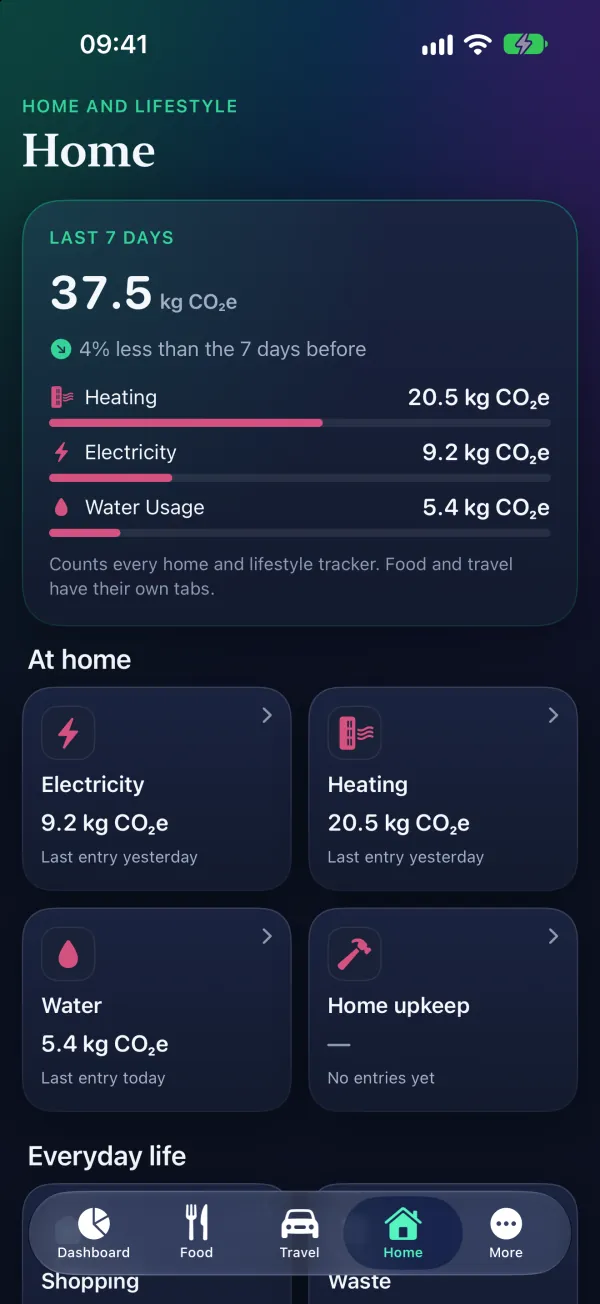
Eleven trackers: heating, electricity, water, home upkeep, shopping, waste, digital use, entertainment, sport, pet care and healthcare. Each shows its last 7 days, and the week card compares them with the 7 days before.
These trackers use simpler averages than food and travel. Each entry is counted once in your daily total.
Fossil CO₂ emissions per person in 32 countries, with the 2-tonne target drawn across them.
The figures count fossil CO₂ emitted inside each country in 2024, divided by its population: not everything its people consume.
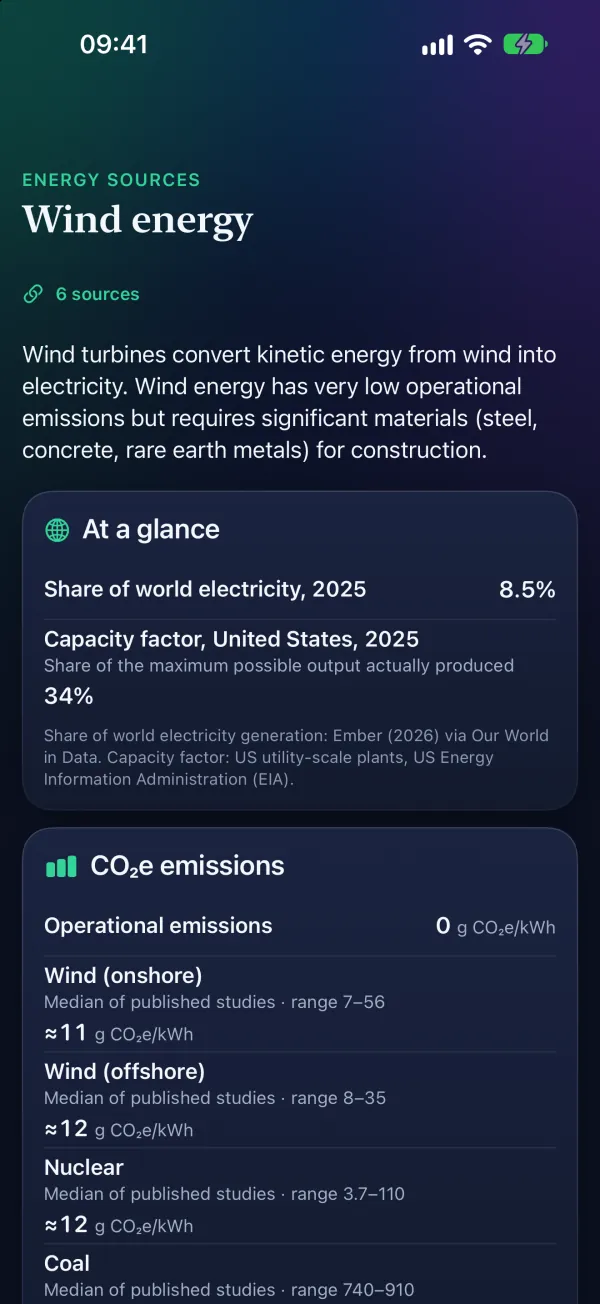
Short explainers on climate science, energy, food, transport, policy and solutions, most with links to their sources.
The explainers summarise published sources; follow the links for the full studies.
History lists every entry, newest first. Awards, streaks and eco-points mark the days you logged.
Nothing compares you with other users.
Choose the app's language in Settings.
In Basque, Galician, Irish and Welsh, some screens are still in English.
Text follows your device's text size, and the screens and charts work with VoiceOver.
There is no sign-in. Your entries are stored on your device.
New in 1.2
The layout follows the screen: two columns and a sidebar where there is room, the phone layout where there is not.
Two columns and a sidebar, in landscape or portrait, and more than one window in Split View or Stage Manager.
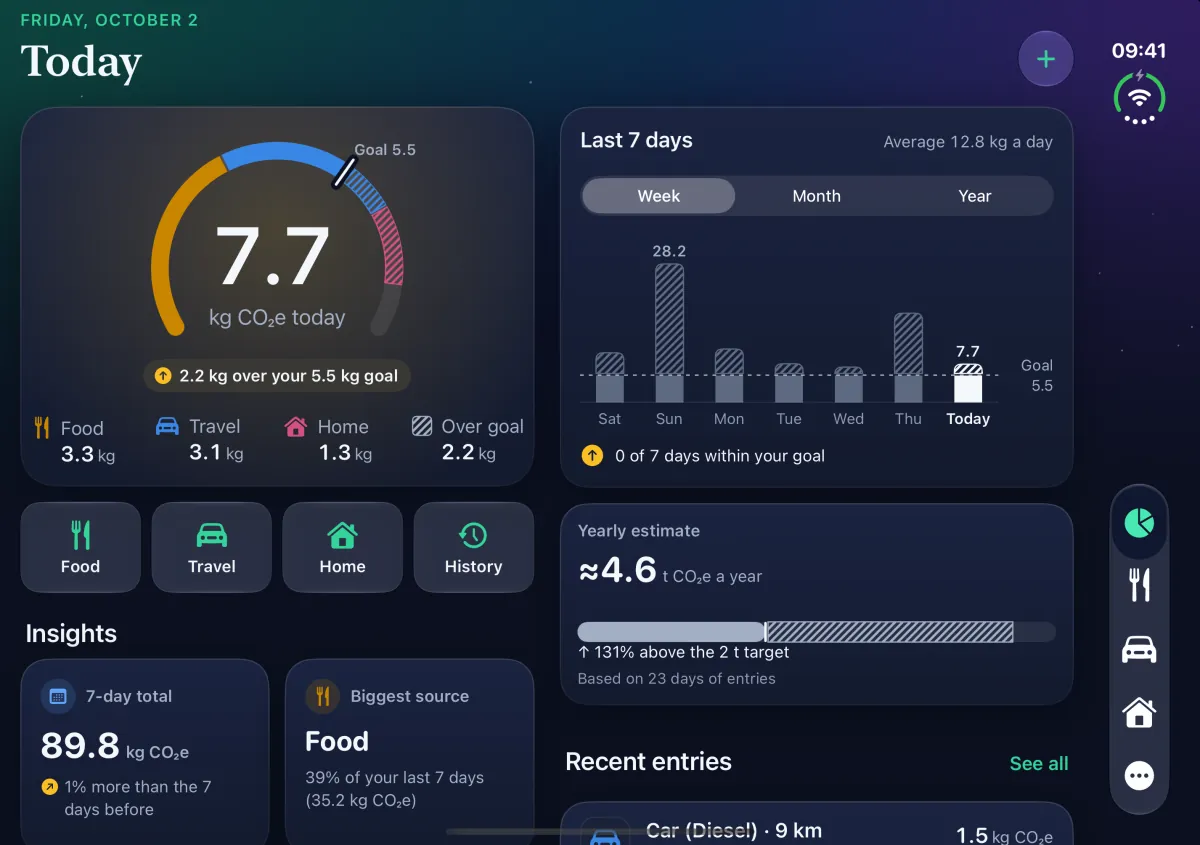
Two columns on the inner display, the phone layout on the cover display, and your place is kept when you open or close it.
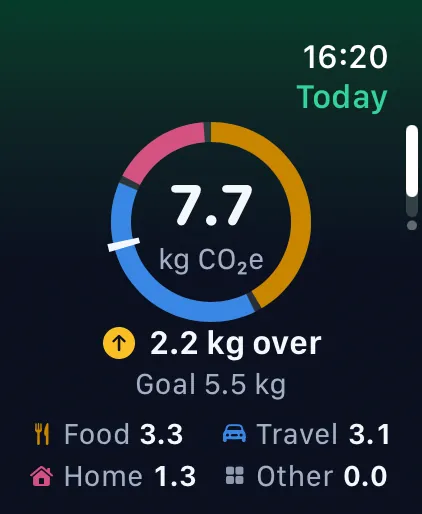
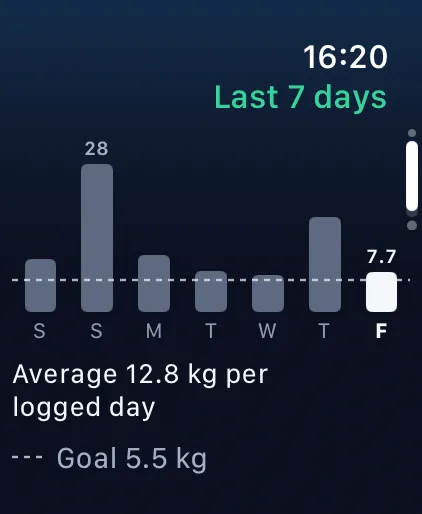
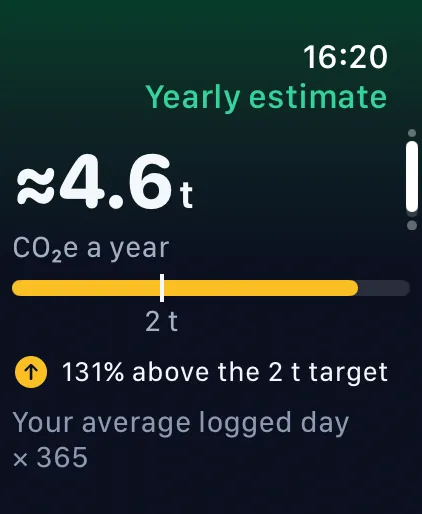
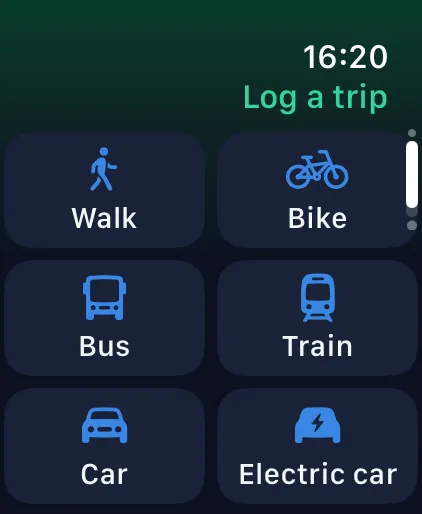
Today's total against your goal, your last 7 days and your yearly estimate on your wrist. Log a trip with the Digital Crown, and your iPhone saves it.
The Watch app needs Decarbonr on your iPhone, and logging a trip needs a Decarbonr subscription there. If your iPhone is out of reach, the trip waits until it is back.
Entries are not synced between devices: your iPhone and your iPad each keep their own.
Screens from Decarbonr 1.2, with sample entries.
Subscriptions
Decarbonr needs a subscription after the introduction screens. Apple handles the payment, and the App Store shows the price in your currency.
Premium Access plans: weekly, monthly or yearly
The weekly plan has a no-cost trial where offered; the paywall shows its length and the price after it.
AI Features plans: weekly, monthly or yearly
Subscriptions renew automatically unless cancelled at least 24 hours before the end of the current period. Manage or cancel them in your Apple Account settings or in the app's Settings, which also has Restore Purchases.
Privacy
Your entries are stored on your device. Three things use the network, and only when you use them:
No. Decarbonr needs a subscription after the introduction screens: Base Access, or the AI add-on, which includes Base Access and adds meal-photo and barcode scanning. The weekly Base Access plan has a no-cost trial where offered.
They are estimates, not measurements. Food and travel use emission factors from published sources, listed in the app under Sources and methods; the home and lifestyle trackers use simpler averages; meal-photo results are AI estimates.
No. There is no sign-in. Your entries are stored on your device and are not synced to iCloud or between your devices.
iPhone and iPad with iOS 18 or iPadOS 18 or later, including iPhone Duo, and Apple Watch with watchOS 11 or later. The Watch app needs Decarbonr on your iPhone.
Log one meal or one trip, and see where your day stands.

Version 1.2 is on its way to the App Store
This page shows Decarbonr 1.2. Until Apple releases it, the App Store has version 1.1, which has no iPad layout, Apple Watch app, Home tab or Insights.